




-
Teaser Paragraph:
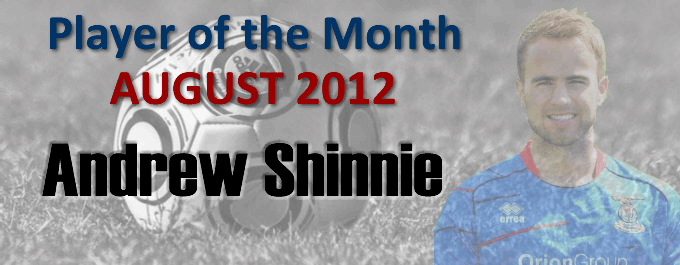
It's not been a good start to the season for ICT - but the one bright spark so far has been the form of Andrew Shinnie. The attacking midfield player, who missed most of the second half of last season with a broken foot, scored against Kilmarnock and Hearts, as well as picking up a double at Arbroath in the League Cup - so it's no surprise that he was CTO's Player Of The Month for August. He was voted man of the match twice and picked up 50 votes, just clear of newcomers Gary Warren and Ross Draper.
It's early stages in the overall standings, but Andy is joined at the top of the table by Ross Draper, who also gave two man of the match performances in August. There's a long way to go yet, though...
| Overall quantity of votes cast for each player in August: (Used to decide Player of the Month) | ||||||
| Player | 04/08 | 11/08 | 18/08 | 25/08 |
29/08 |
TOTAL |
| Andrew Shinnie | 9 | 19 | 9 | 5 |
8 |
50 |
| Gary Warren | 6 |
19 |
10 |
8 |
1 |
44 |
| Ross Draper | 5 | 3 | 11 | 18 |
3 |
40 |
| Ryan Esson | 6 | 30 | 2 |
38 | ||
| Graeme Shinnie | 3 |
5 |
8 |
6 |
2 |
24 |
| Billy McKay | 7 |
9 |
1 |
3 |
20 |
|
| Aaron Doran | 3 | 3 | 6 |
3 |
15 | |
| Owain Tudur-Jones | 3 | 7 | 5 |
15 | ||
| Simon King | 1 |
9 |
3 |
13 |
||
| David Raven | 4 | 5 | 9 | |||
| Nick Ross | 4 | 1 | 1 | 3 |
9 | |
| Conor Pepper | 4 |
3 |
7 |
|||
| Josh Meekings | 1 |
3 |
4 |
|||
| Shane Sutherland | 2 |
2 |
||||
| Gavin Morrison | 1 | 1 | ||||
| Player of the Year Points ~ Current Standings : 2012/13 (Player of Month also highlighted in monthly column) | |||||||||||
| Player | AUG | SEP | OCT | NOV | DEC | JAN | FEB | MAR |
APR
| MAY | TOTAL |
| Andrew Shinnie | 11 | 11 | |||||||||
| Ross Draper | 11 | 11 | |||||||||
| Ryan Esson | 8 | 8 | |||||||||
| Gary Warren | 5 | 5 | |||||||||
| Aaron Doran | 3 | 3 | |||||||||
| Owain Tudur-Jones | 3 | 3 | |||||||||
| Graeme Shinnie | 3 | 3 | |||||||||
| Billy McKay | 1 | 1 | |||||||||
Recommended Comments
Create an account or sign in to comment