




-
Teaser Paragraph:
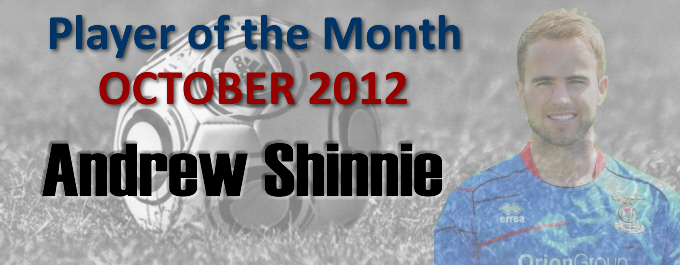
Andrew Shinnie is the talk of the town at the moment after earning his first Scotland call-up...and it's not surprising that, considering his excellent recent form, he was ICT's player of the month for October.
The former Rangers youth player was the star man in the away victories at Dens Park and Ibrox, scoring in both matches as well as in the derby victory over Ross County. In a closely fought race this month, he edged Aaron Doran into second place by just two votes. Taking third was Spanish keeper Antonio Reguero, who has consistently excelled after taking over between the sticks following Ryan Esson's injury.
The elder Shinnie now moves into a tie for the lead in the overall standings with club skipper Richie Foran, who missed three of the four October matches with injury. Ross Draper remains third overall.
| Overall quantity of votes cast for each player in October: (Used to decide Player of the Month) | |||||
| Player | 05/10 | 19/10 | 27/10 | 31/10 |
TOTAL |
| Andrew Shinnie | 11 |
21 |
5 |
16 |
53 |
| Aaron Doran | 34 |
8 |
9 |
51 |
|
| Antonio Reguero | 13 |
17 |
14 |
2 |
46 |
| Billy McKay | 17 |
27 |
1 |
45 |
|
| Ross Draper | 25 |
4 |
3 |
8 |
40 |
| Gary Warren | 18 |
5 |
11 |
4 |
38 |
| Graeme Shinnie | 12 |
2 |
12 |
7 |
33 |
| Josh Meekings | 17 |
11 |
28 |
||
| Owain Tudur-Jones | 9 |
14 |
4 |
27 |
|
| David Raven | 3 |
2 |
4 |
3 |
12 |
| Richie Foran | 6 |
6 |
|||
| Philip Roberts | 2 |
1 |
3 |
||
| Shane Sutherland | 2 |
2 |
|||
| Player of the Year Points ~ Current Standings : 2012/13 (Player of Month also highlighted in monthly column) | |||||||||||
| Player | AUG | SEP | OCT | NOV | DEC | JAN | FEB | MAR |
APR
| MAY | TOTAL |
| Andrew Shinnie | 11 |
10 |
21 |
||||||||
| Richie Foran | 21 |
21 |
|||||||||
| Ross Draper | 11 |
6 |
3 |
20 |
|||||||
| Ryan Esson | 8 | 3 |
11 | ||||||||
| Aaron Doran | 3 |
1 |
6 |
10 |
|||||||
| Gary Warren | 5 | 3 |
1 |
9 | |||||||
| Billy McKay | 1 |
8 |
9 |
||||||||
| Owain Tudur-Jones | 3 | 3 |
6 | ||||||||
| Graeme Shinnie | 3 | 3 |
6 | ||||||||
| Andre Blackman | 5 |
5 |
|||||||||
| Conor Pepper | 3 |
3 |
|||||||||
| Philip Roberts | 3 |
3 |
|||||||||
| Josh Meekings | 1 |
1 |
2 |
||||||||
| Antonio Ruguero | 1 |
1 |
|||||||||
Recommended Comments
Create an account or sign in to comment